
package main
import (
"net/http"
"fmt"
"strconv"
)
黃彥霖 發表在 痞客邦 留言(0) 人氣(3,050)
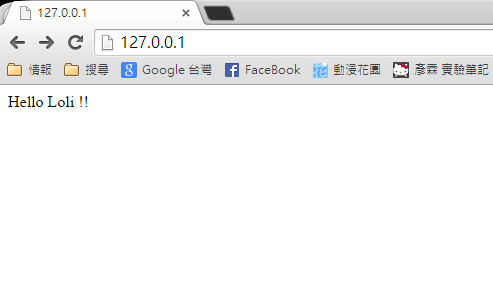
以下為 HTML程式碼,請新建 index.html 檔案,複製下面程式碼後,再把它放在專案目錄下
<html>
<body>
Hello {{.Name}} !!
</body>
</html>
---------------------------------------------------------------------
以下為 Go 語言 程式碼:
黃彥霖 發表在 痞客邦 留言(0) 人氣(4,282)

匯入 "time" 包,然後將以下程式碼加到你的程式碼中,就會有延遲效果
time.Sleep(1 * time.Second)
黃彥霖 發表在 痞客邦 留言(1) 人氣(1,272)
os.Mkdir("A", os.ModePerm); // 當前目錄建立 A 資料夾
os.MkdirAll("A/B/C", os.ModePerm); // 當前目錄建立 多層 資料夾
os.Remove("A.txt") // 刪除檔案 (可多層)
os.RemoveAll("A") // 刪除資料料夾 (可多層)
// 以下為判斷該目錄或檔案是否存在,並判斷是資料夾還是檔案
黃彥霖 發表在 痞客邦 留言(0) 人氣(923)
package main
import (
"net/http"
"fmt"
)
黃彥霖 發表在 痞客邦 留言(0) 人氣(2,202)
先建立一個 index.html 檔,把下面 HTML 語法複製貼上,再將 html 檔移動到 Golang 專案下
<html>
<head>
<title>Golang upload</title>
</head>
<body>
<form id="uploadForm" method="POST" enctype="multipart/form-data" action="http://127.0.0.1:8080/upload">
<p>Golang upload</p>
<input type="FILE" id="file" name="file" />
<input type="SUBMIT" value="upload">
</form>
</body>
</html>
黃彥霖 發表在 痞客邦 留言(0) 人氣(866)
package main
import (
"fmt"
"net/http"
)
黃彥霖 發表在 痞客邦 留言(0) 人氣(830)
// 目的資料夾一定要存在,否則不會自動幫你建立
// 如果原本已經有檔案在的話,會覆蓋掉
package main
import (
"bufio"
"os"
)
黃彥霖 發表在 痞客邦 留言(0) 人氣(744)
package main
import (
"bufio"
"net"
)
func main() {
listener, _ := net.Listen("tcp", ":80")
println("啟動伺服器...")
for {
conn, _ := listener.Accept() // 持續監聽客戶端連線
go ClientLogic(conn)
}
}
func ClientLogic(conn net.Conn) {
// 從客戶端接收資料
s, _ := bufio.NewReader(conn).ReadString('\n')
println("由客戶端傳來的訊息:", s)
// 發送 資料至客戶端
conn.Write([]byte("安安你好\n"))
// 關閉連線
conn.Close()
}
黃彥霖 發表在 痞客邦 留言(0) 人氣(1,482)
//---------------------------------- 簡單版
package main
import (
"fmt"
"encoding/gob"
"os"
)
黃彥霖 發表在 痞客邦 留言(0) 人氣(501)
